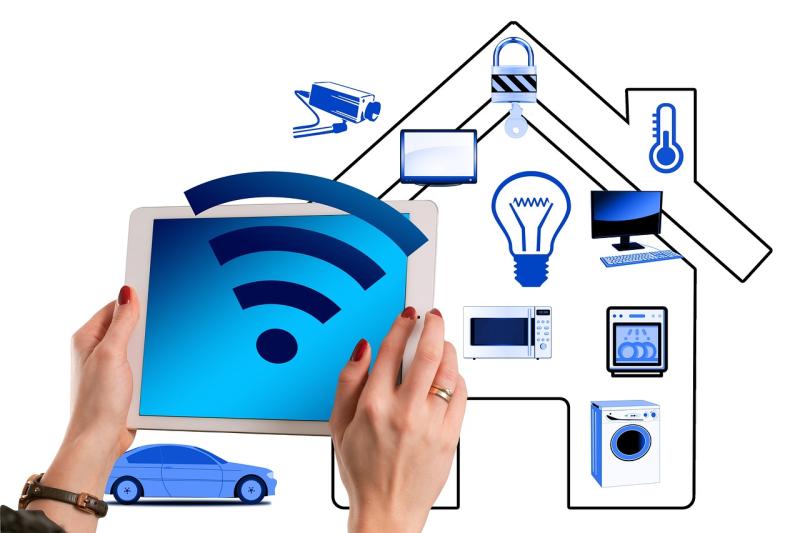
WiFi smart bulbs are like the cool, techy version of your regular light bulbs. They connect to your WiFi network, letting you control them from your smartphone or tablet. That means you can turn them on and off, dim the lights, or even change colors—all from an app. Imagine kicking back on your couch and adjusting the lights without having to get up. Pretty neat, right?
These bulbs are designed to fit into standard light fixtures, so you won’t need to overhaul your entire home. Just screw them in like any regular bulb. Once you set them up, you can join in on the smart home fun by linking them to voice assistants like Amazon Alexa or Google Assistant. This way, you can control your lighting with simple voice commands. No more fumbling for switches in the dark!
WiFi smart bulbs come with a bunch of features that make them even cooler. You can schedule them to turn on or off at specific times, which is great for saving energy or making it look like someone’s home, even when you’re away. Many models also let you create different lighting scenes for various moods. Want a cozy, dim light for movie night? Or a bright, vibrant setting for a party? Easy peasy!
Setting up WiFi smart bulbs is usually a breeze. Just download the app, connect the bulb to your WiFi, and you’re good to go. They work well in any room and can instantly boost your home’s vibe. If you're looking to add a touch of convenience and style to your space, these little gadgets are worth considering.
How They Connect to Your Network
Getting your WiFi smart bulbs connected to your network is pretty straightforward. Most of these bulbs use WiFi technology to communicate with your home router, which means they can be controlled from anywhere as long as you have an internet connection.
First off, make sure your bulbs are compatible with your WiFi network. Most work with 2.4GHz networks, which you probably have on your router. If you have a dual-band router, your smart bulbs may not connect to the 5GHz band, so stick to the 2.4GHz for a hassle-free experience.
Once you’ve got that sorted, the setup usually goes like this: After you screw in your smart bulb, you’ll need to download the manufacturer’s app on your phone. The app will guide you through connecting the bulb to your WiFi. It can involve scanning a QR code or inputting your WiFi password directly into the app. Just follow the instructions and your bulb should sync up in no time.
Sometimes, you might run into a few hiccups during the process. If your bulb won’t connect, make sure it’s in pairing mode. This step is crucial! Also, check that your router is functioning properly and your phone is on the same WiFi network you're trying to connect to. A little troubleshooting can go a long way.
Once everything's set up, you can start controlling your lights from your phone or using voice commands if your bulbs support smart assistants. It’s a game changer for your home lighting, so enjoy the convenience!
Benefits of Using Wifi Smart Bulbs
Wifi smart bulbs bring a ton of convenience to your home lighting. With just a tap on your smartphone, you can control the lights from anywhere. Whether you’re on the couch or halfway across town, you can brighten or dim the lights, change the color, or set schedules. It’s perfect for when you want to look like you’re home, even when you're not.
Another awesome benefit is energy savings. Many smart bulbs use LED technology, which means they use way less energy than traditional bulbs. You can light up your home without worrying about skyrocketing energy bills. Plus, you can set timers and schedules so the lights turn off when you don’t need them.
Customization is where smart bulbs really shine. You can choose from a wide range of colors and brightness levels to match your mood or the occasion. Whether it’s a cozy night in or a lively party, you can set the perfect vibe. Some bulbs even let you sync with music or movies for a truly immersive experience.
Installing smart bulbs is a breeze. Just screw them in like regular bulbs, connect to your WiFi, and you’re good to go. No complicated setups or extra hubs needed. They work with popular voice assistants, so you can even control them hands-free. Talk about futuristic living!
Tips for Choosing the Right Ones
When you're diving into the world of WiFi smart bulbs, it can feel a bit overwhelming with all the options out there. Here are some tips to help you pick the right ones for your home.
First off, think about compatibility. Not all smart bulbs play nice with every smart home system. Check if the bulbs work with your existing devices, like Amazon Alexa, Google Home, or Apple HomeKit. You want bulbs that easily integrate into your setup without a headache.
Next, consider the brightness and color options. Some bulbs offer just a single light color, while others give you a whole rainbow to choose from. If you want to set a mood for movie night or brighten up your workspace, go for bulbs that offer adjustable colors and brightness levels.
Don’t forget about energy efficiency! Look for LED smart bulbs, which use less power and last longer than traditional ones. This is good for your wallet and the environment. Check the wattage to make sure you’re getting bulbs that are both bright and energy-savvy.
Lastly, read reviews before making a decision. Real users share honest feedback about how easy the bulbs are to set up and how well they perform over time. This can help you avoid products that don’t live up to the hype. Happy bulb shopping!